
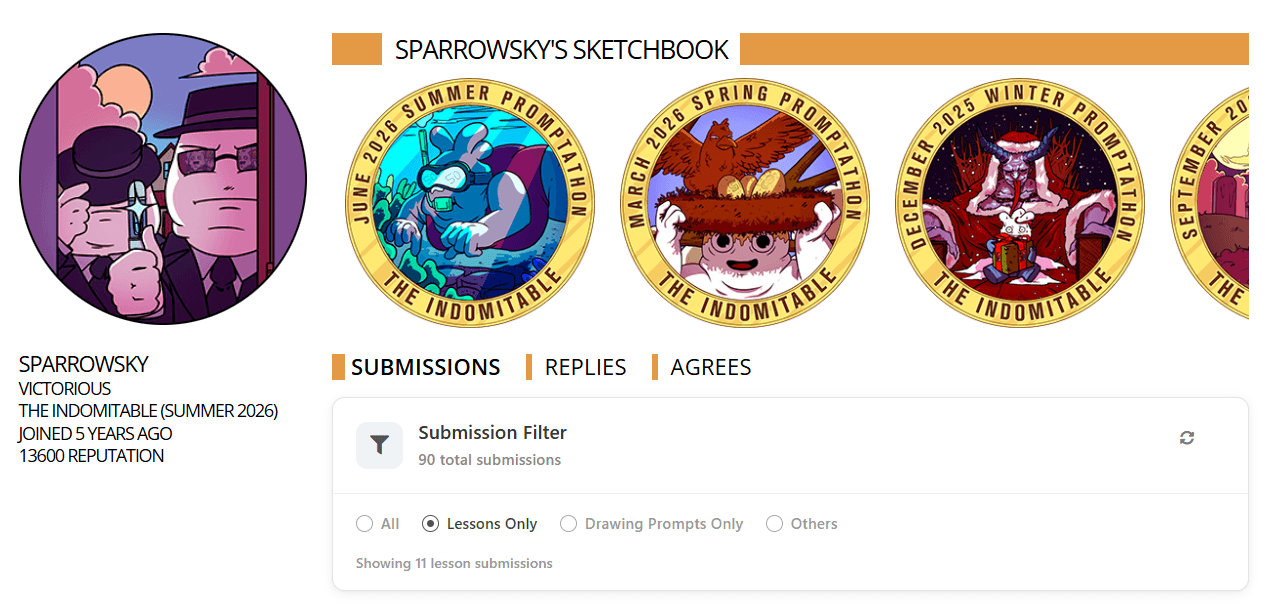
If you're an active user on Drawabox, your submissions page gets cluttered quickly, especially if you participate in promptathons regularly. This extension lets you filter your submissions by type so that you can easily access what you want. It's compatible with Google Chrome and Mozilla Firefox, though the former requires manual setup. This post provides a usage guide for both.
Setup for Firefox
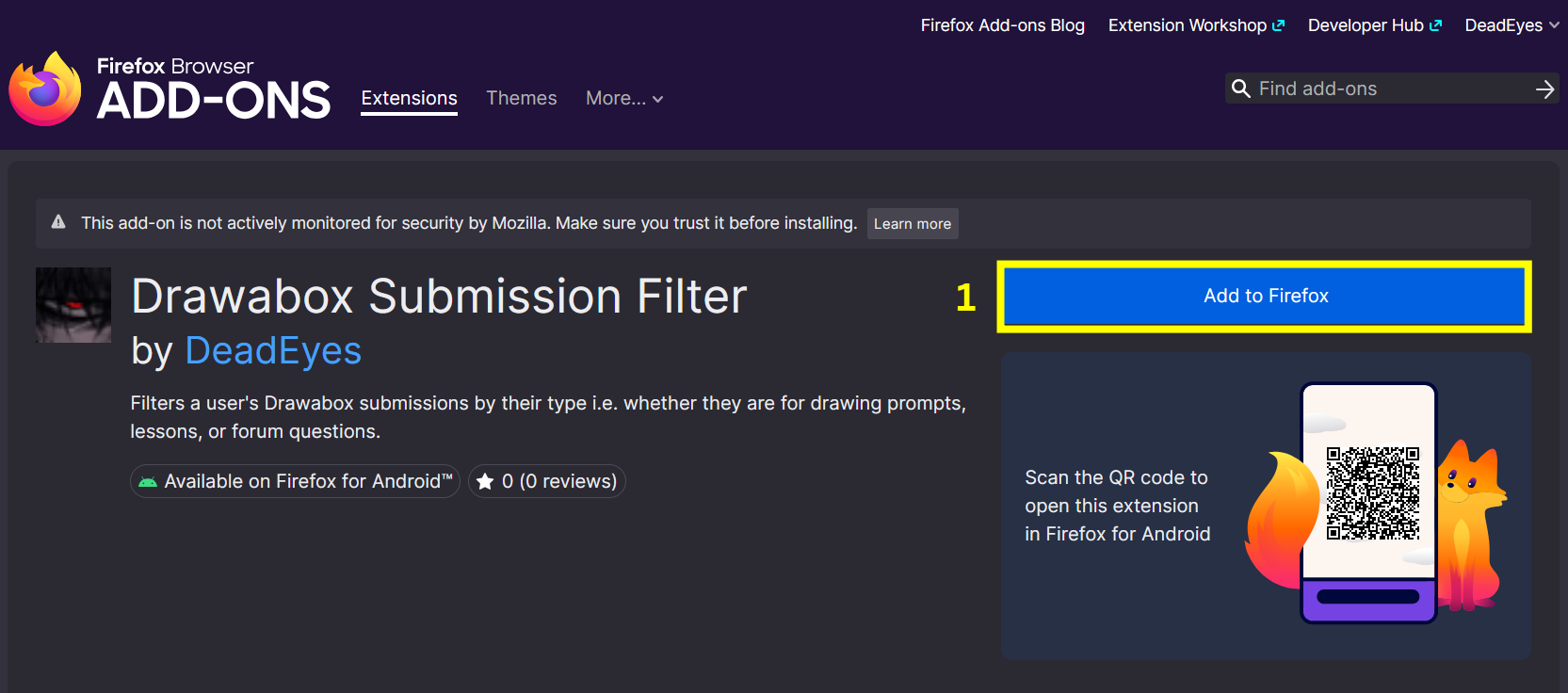
Step 1: Install the Drawabox Submission Filter extension from Firefox Addons
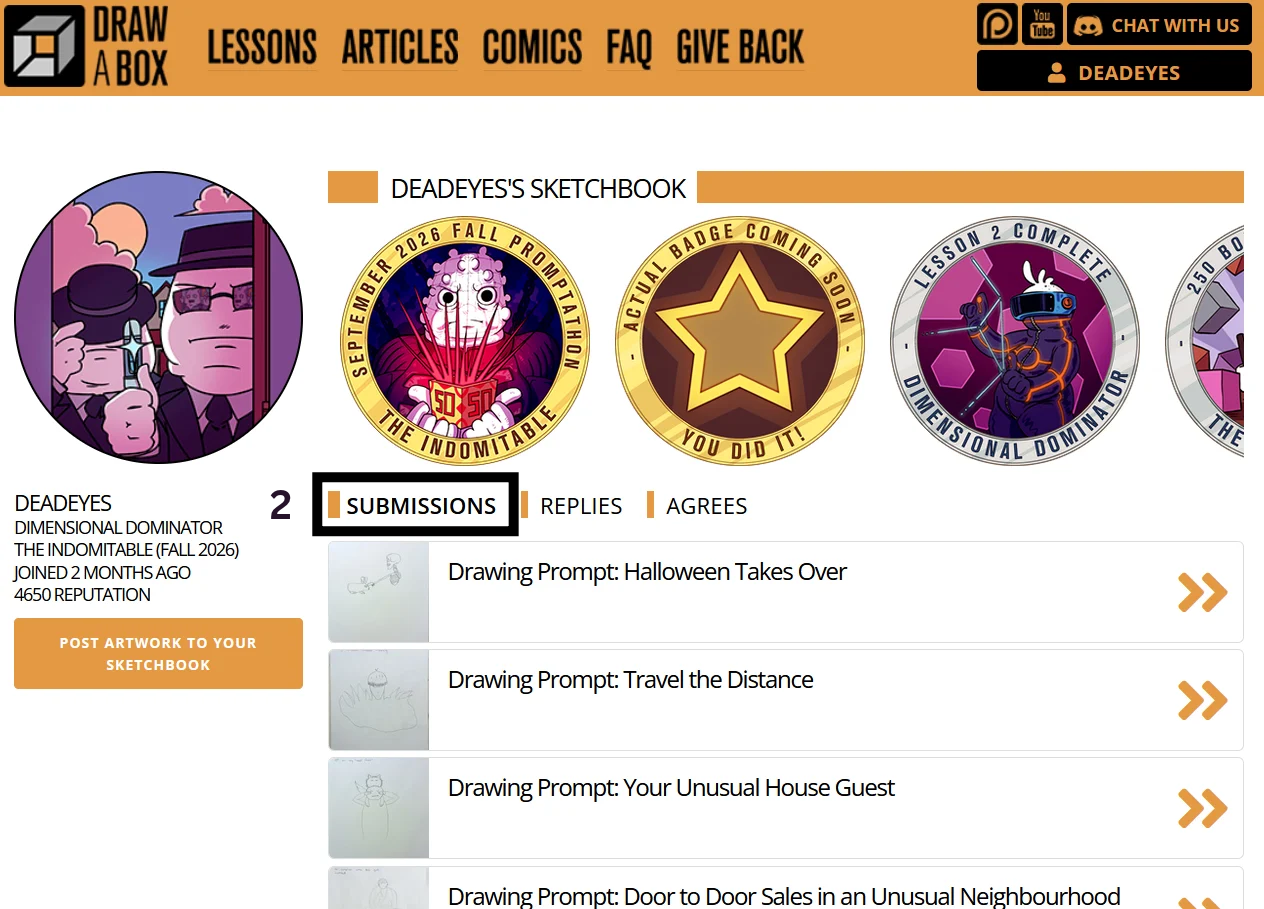
Step 2: Go to a user profile on Drawabox and click on "Submissions". This can be any profile, not just your own.
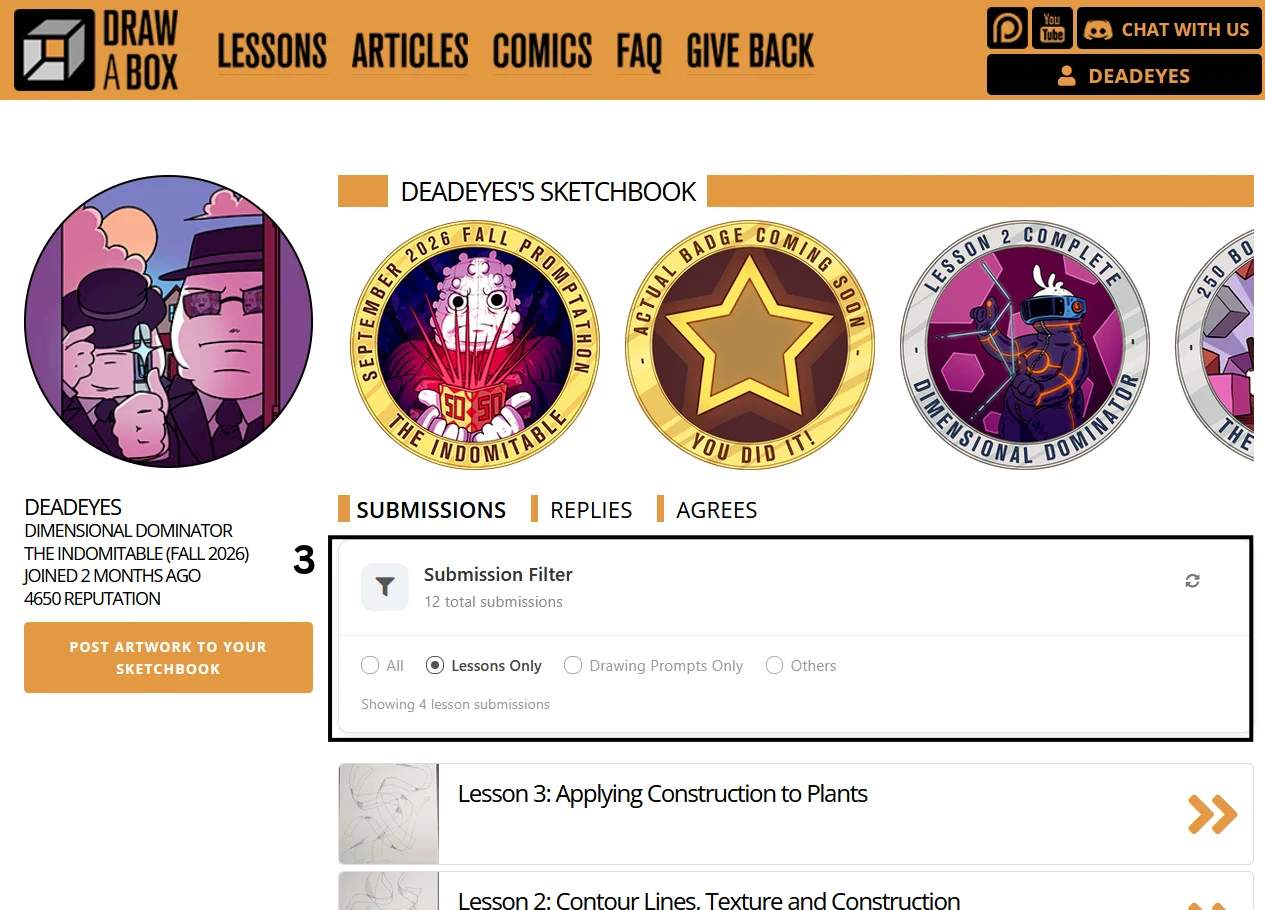
Step 3: Choose from the options to filter the submissions
Setup for Chrome
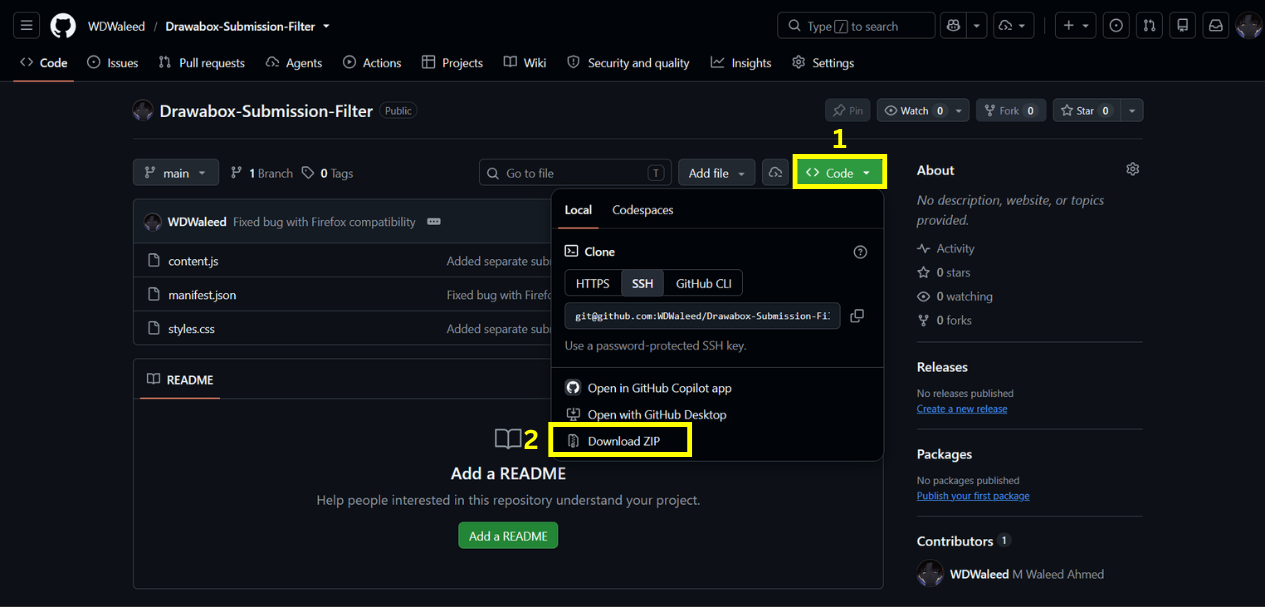
Step 1: Install the extension files from the Drawabox Submission Filter repo. Make sure to extract the contents as well.
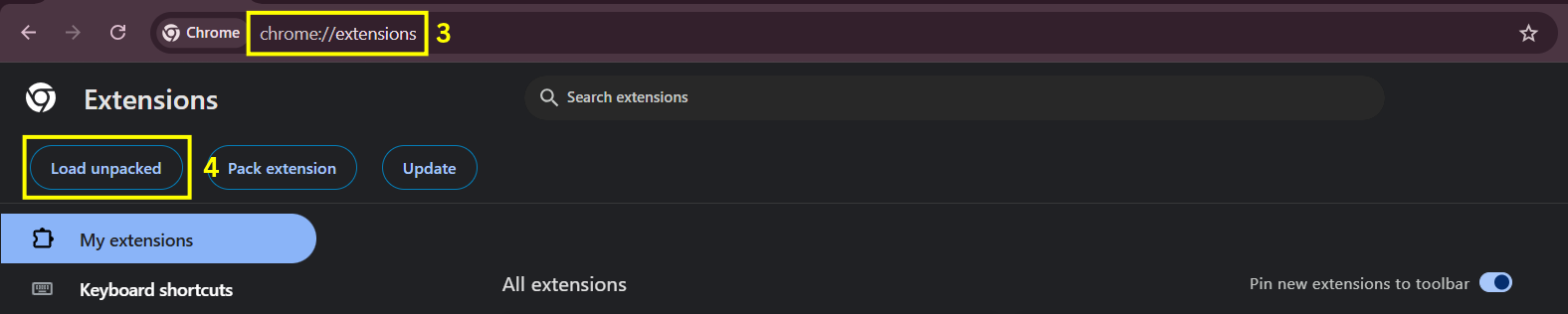
Step 2: In Chrome, type or paste chrome://extensions/ in the address bar and press Enter. Then click Load unpacked in the top-left corner.
Step 3: Select the folder you extracted from the downloaded zip file.

Step 4: Go to a user profile on Drawabox and click on "Submissions". This can be any profile, not just your own.
Step 5: Choose from the options to filter the submissions